Workspaces : Receiving Emails of Recent Workspace Changes

Receiving Emails of Recent Workspace Changes

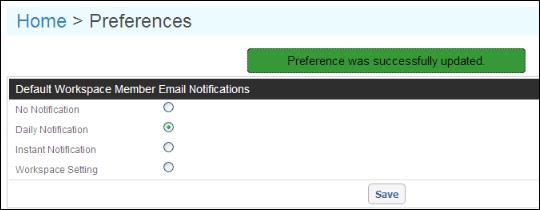
To keep up-to-date with recent workspace changes, you can receive alerts of workspace activity by email on an instantaneous basis (one email per change) or daily basis (one email with a summary of the day's activity). You indicate this in your workspace Preferences.

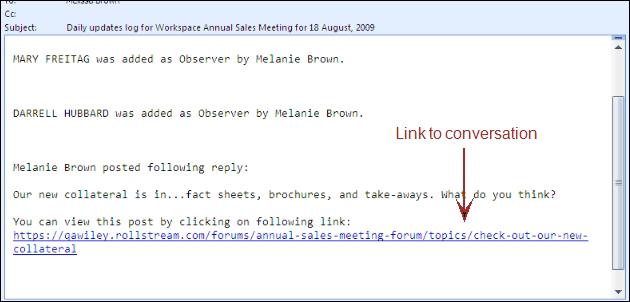
Here is a sample daily notification
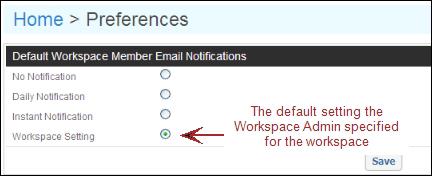
If you do not specify a preference, you will receive email notifications based on the setting that the Workspace Administrator set when they created the workspace. For example, if the person who created the workspace set email notifications to be sent daily, then you will receive an email daily until you specify otherwise.

Note: Keep in mind that if you specify that you do not want to receive any notifications, you still may receive email reminders about upcoming events, based on your contact role in your profile. For example, someone in your workspace might create a Sales Meeting event and specify all Sales Reps to receive an email notification. If you have a contact role of Sales Rep in your profile, then you will receive an upcoming event reminder via email. For details, see “Adding, Editing, and Deleting Events” .

To get recent changes by email

1
Click Applications > Workspaces,.
2
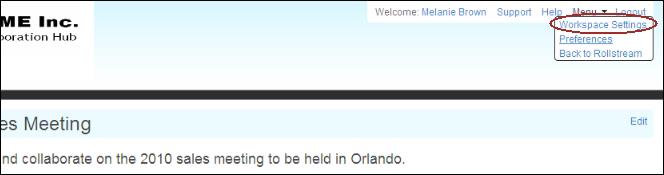
Open a workspace, click Menu, and then click Workspace Preferences.
3

The following table describes the available options.

4
Click Save.

21.2 release. Updated April 7, 2021

OpenText Active Community User Guide PDF


Copyright © 2021 Open Text. All rights reserved.
Trademarks owned by Open Text.